
Troika has several reports specifically written to help with managing estates which you can produce at any time during the administration period.
To run a report, within Wealth Management, the Client tab, select the Estate Details - Edit menu option. Navigate to the 'Reports' tab and highlight the option you require.
If you select 'Print', the report will be printed without the option to preview the report first.
The 'Font' option allows you to edit the font settings for the report, if required.
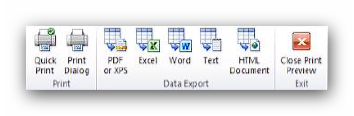
Click 'Preview' to see the report before it is printed. The report preview should load almost instantaneously and will offer the standard Microsoft 'Data Export' options:
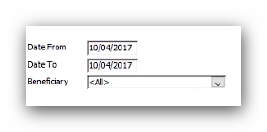
Some reports have additional options that may need amending before you run them. For example:
A 'Date To' is required for:
- 'Assets and Liabilities Outstanding'
- 'Probate Income' and
- 'Cash Estimate'
A 'Date From' is also required for:
- 'Probate Income'
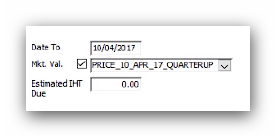
The 'Cash Estimate' report also has the option to add an estimate for the IHT due on the estate and select a price feed to give an up to date valuation of the investments:
There are additional reports that can be found under the Reports option from either the Client tab in Wealth Management (for reporting on individual clients) or under the Global tab (for reporting on all clients).
The 'Estate Status Report' within Wealth Management, the Global tab, the Reports menu option, under the 'Administration' heading can be particularly useful. This option can generate a report on:
- IHT Due
- Awaiting Grant
- Creditors Notice Expiry
- Time Limit Expiry for Claim against the Estate
When using a date range for the 'Awaiting Grant' report, the report will include all estates where the 'IHT Form Submitted' date is within the range, but no 'Date of Probate' has been entered. Whereas, if you remove the date range, the report will include all estates where no 'IHT Form Submitted' date has been entered.
This article was last reviewed 05/2020.