
The details for exemptions and reliefs are entered into Wealth Management, Client tab and the menu option Load Data, much the same way you enter details of the estate's assets and liabilities.
Spousal and Charity Reliefs
Most reliefs are recorded only on the IHT sub-schedules, however, charity and spousal reliefs for property or land and legacies need to be recorded under the IHT400 Direct Entries. For spousal or charity reliefs against property or land you may find it easier to enter the details for the IHT405 first before recording details of the relief under the IHT400 Direct Entries.
Within Wealth Management, Client tab, select the menu option Load Data. Select the date of death as the Period and click IHT Details. Select the 'Assets/Liabs' radio button and from the 'Asset Type' drop-down list, select 'IHT400 Direct Entries'.
Then from the 'Subsection' drop-down box find the appropriate entry and complete all the details as fully as possible, making sure you work your way through the 'Additional Information' and 'Additional Amounts' tabs.
To record an exemption or relief against:
- property
- agricultural property
- businesses
- interest in another estate
- and certain stocks, shares and investments
Use the relevant option from:
- Spousal relief (IHT400 93_1)
- Charity exemptions (IHT400 93_2)
- Other exemptions (IHT400 93_3)
For any exemptions or reliefs against assets not included in the above list use the relevant option from:
- Spousal relief - other assets (IHT400 92_1)
- Charity exemptions - other assets (IHT400 92_2)
- Other exemptions - other assets (IHT400 92_3)
To edit an exemption or a relief, select the 'Exemptions' tab in the Load Data window:
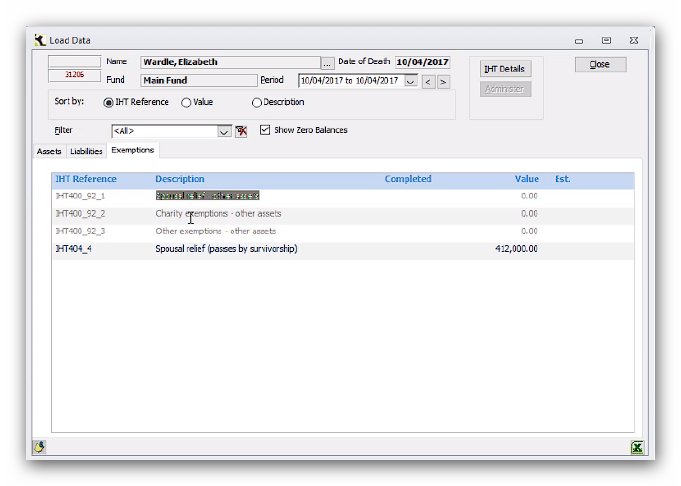
Double click on the Description and edit the details as appropriate, including any changes in the values in the Additional Amounts tab.
To delete an exemption or a relief, double click on the Value and delete the transaction:
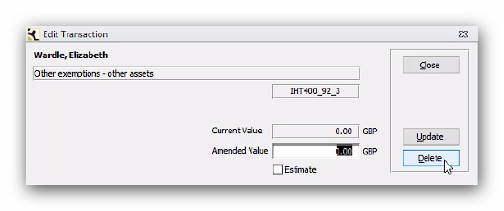
Then double-click on the Value again, and use 'Delete' to delete the entry from the ledger.
Recording reliefs when there are non-exempt and exempt residuary beneficiaries
If you have non-exempt and exempt residuary beneficiaries you may need to gross up the non-exempt legacies and residuary gifts to be able to calculate the value of the residuary exemption to enter into Troika for the IHT form and to calculate the IHT due. An example of the formula you can use can be found in the Ray and McLaughlin's Practical Inheritance Tax Planning guide, section 8.41.
You will also need to enter an adjustment in Troika before you generate the accounts or any reports such as the cash estimate to allocate the tax liability to the non-exempt residuary beneficiaries’ gifts. Otherwise the residuary distributions will be incorrect as Troika currently only calculates the residuary gifts based on the beneficiary's share of the residue.
Business Relief
To record business relief, within Wealth Management, Client tab, select the menu option Load Data. Select the date of death as the Period and click IHT Details. Select the 'Assets/Liabs' radio button and from the 'Asset Type' drop-down list, select 'Business relief, business and partnership interests'.
Then work through the Subsections, completing as much detail as possible.
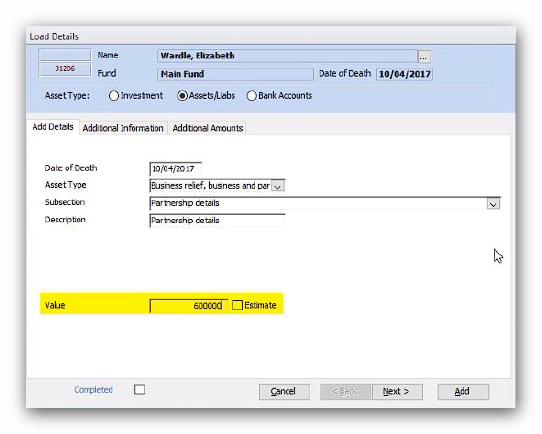
Record the Value of the business under Subsection, 'Partnership details':
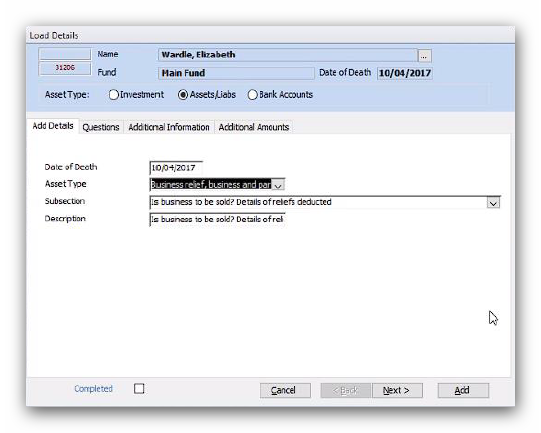
Then the relief in the 'Additional Amounts' tab of Subsection, 'Is the business to be sold? Details of reliefs deducted':
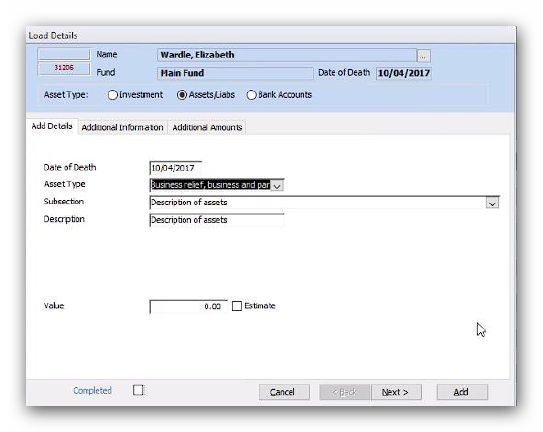
Any assets in the business need to be recorded under Subsection, 'Description of assets':
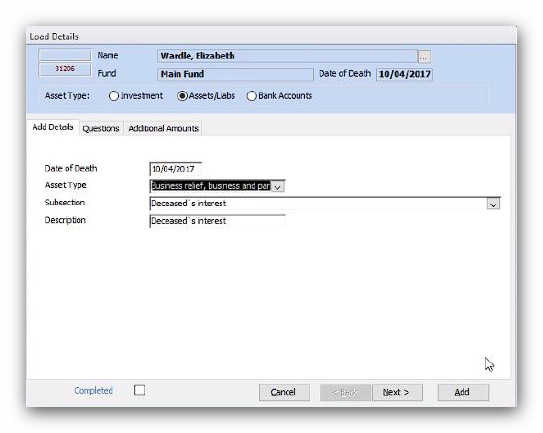
With the total relief for all the business assets recorded in the 'Additional Amounts' tab of Subsection, 'Deceased’s interest':
Any shares the deceased owned in the business will need to be recorded as investments for the IHT412. Further information is provided below - see 'Other Sub-Schedules'.
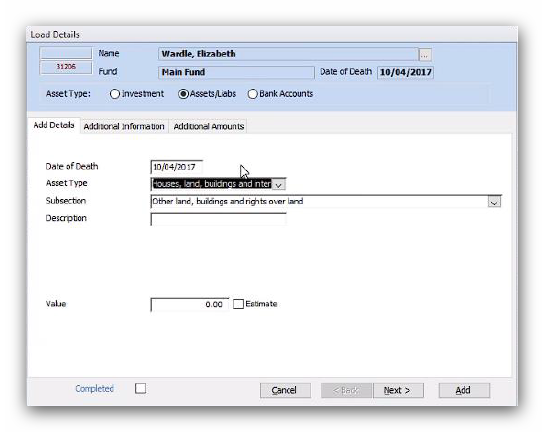
If the business owned any property or land then these assets will need to be recorded under the Asset Type, 'Houses, land, buildings and interest in land' for the IHT405. Select the Subsection, 'Other land, buildings and rights over land' and then complete the details:
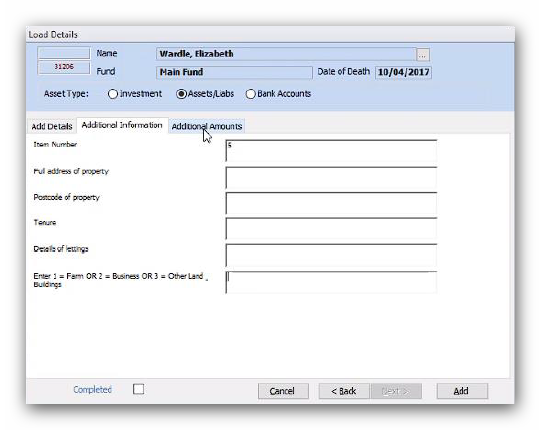
Make sure the property is classified as 2 (Business) in the 'Additional Information' tab:
Then record the 'Value' of the relief in the 'Additional Amounts' tab.
Agricultural Relief
You will need to complete the IHT414 if the estate has any agricultural reliefs, however the reliefs are all recorded on the IHT405.
Within Wealth Management, Client tab, select the menu option Load Data. Select the date of death as the Period and click IHT Details. Select the 'Assets/Liabs' radio button and from the 'Asset Type' drop-down list, select 'Other land, buildings and rights over land'.
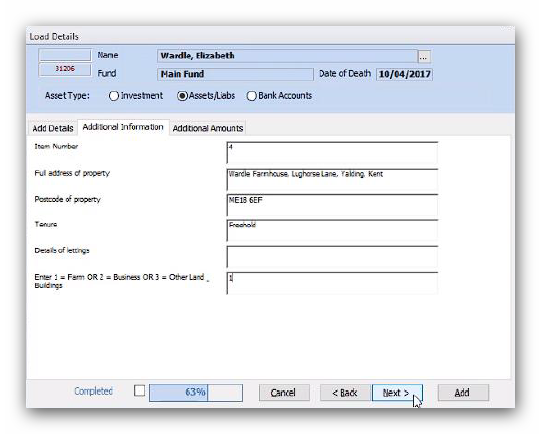
For each property make sure you complete the 'Additional Information' tab and classify the property as 1 (Farm):
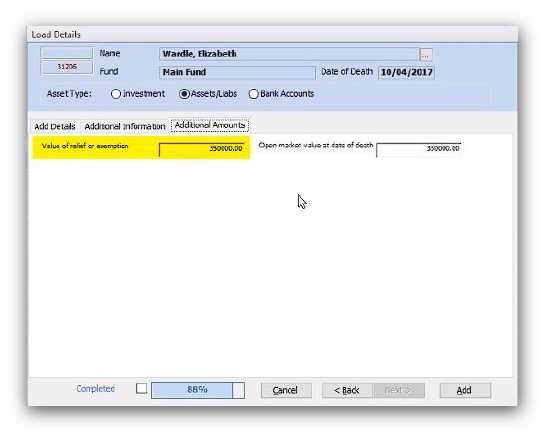
Then record the reliefs in the 'Additional Amounts' tab:
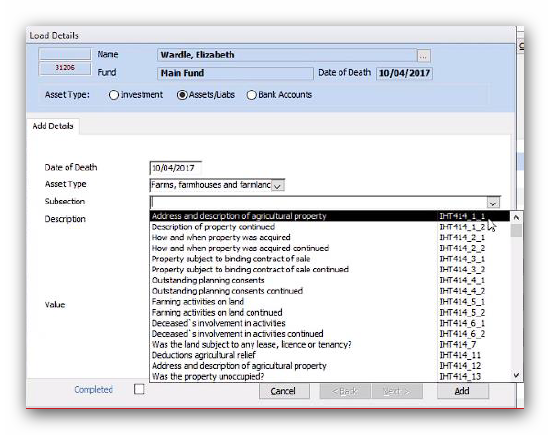
Once the details of all the properties and land have been entered for the IHT405, change the Asset Type to 'Farms, farmhouses and farmland' and enter all the details as required for the IHT414:
Other Sub-Schedules
For the following sub-schedules you should not need to record additional information under the IHT400 Direct Entries for the reliefs and exemptions as the data entered into Troika will also populate the relevant boxes on the IHT400 as directed by the sub-schedules.
IHT404
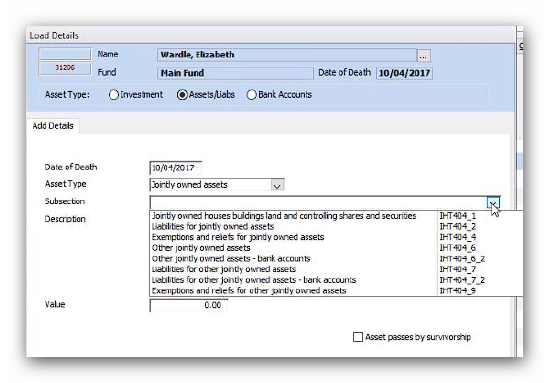
Within Wealth Management, Client tab, select the menu option Load Data. Select the date of death as the Period and click IHT Details. Select the 'Assets/Liabs' radio button and from the 'Asset Type' drop-down list, select 'Jointly owned assets' and enter as much information as possible under each Subsection.
Recording the reliefs for property, land and controlling shares and securities under Subsection, 'Exemptions and reliefs for jointly owned assets' (IHT404_4).
Record reliefs on all other assets against Subsection, 'Exemptions and reliefs for other jointly owned assets' (IHT404_9).
IHT408
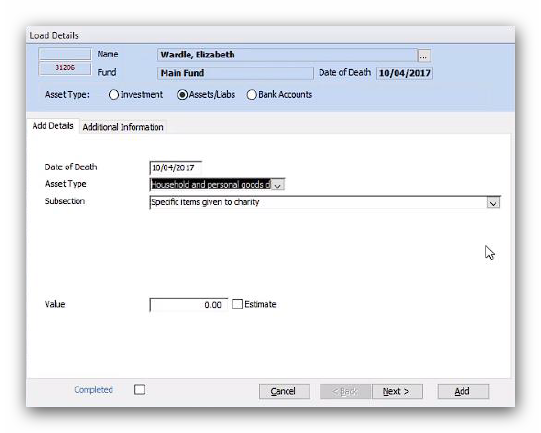
Within Wealth Management, Client tab, select the menu option Load Data. Select the date of death as the Period and click IHT Details. Select the 'Assets/Liabs' radio button and from the 'Asset Type' drop-down list, select 'Household and personal goods donated to charity'.
Enter as much information as possible, including the Value of the relief under the Subsection, 'Specific items given to charity'.
IHT412
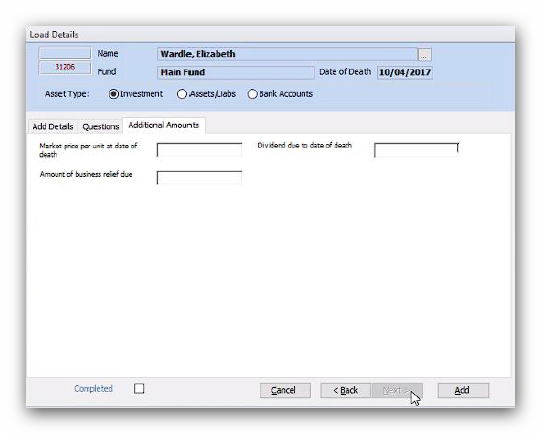
Within Wealth Management, Client tab, select the menu option Load Data. Select the date of death as the Period and click IHT Details. Select the 'Investments' radio button and from the 'Investment Type' drop-down list, select 'Unlisted stocks and shares and controlling holdings'.
Enter as much information as possible, including the details of the relief under the 'Additional Amounts' tab:
IHT417
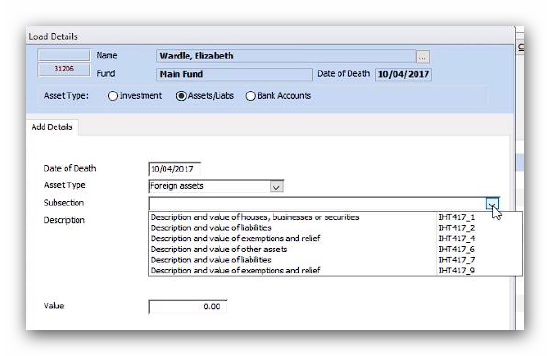
Within Wealth Management, Client tab, select the menu option Load Data. Select the date of death as the Period and click IHT Details. Select the 'Assets/Liabs' radio button and from the 'Asset Type' drop-down list, select 'Foreign assets' and enter as much information as possible under each Subsection.
Record the reliefs for property, businesses and securities under Subsection, 'Description and value of exemptions and relief' (IHT417_4).
Record reliefs for other assets under Subsection, 'Description and value of exemptions and relief' (IHT417_9).
IHT418
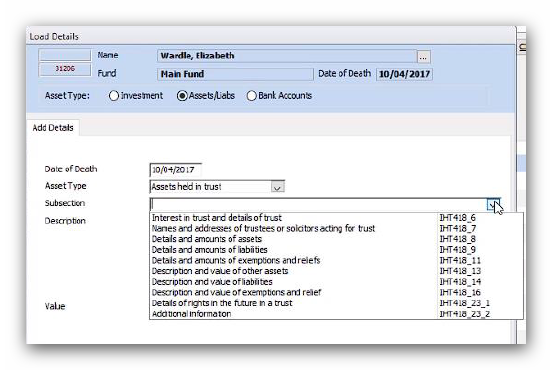
Within Wealth Management, Client tab, select the menu option Load Data. Select the date of death as the Period and click IHT Details. Select the 'Assets/Liabs' radio button and from the 'Asset Type' drop-down list, select 'Assets held in trust' and enter as much information as possible under each Subsection.
Record the reliefs for property, businesses and securities under Subsection, 'Description and value of exemptions and relief' (IHT418_11).
Record reliefs for other assets under Subsection, 'Description and value of exemptions and relief' (IHT418_16).
This article was last reviewed 05/2020.