
Adding the Estate
Within Wealth Management, Client tab, select the menu option Estates - Add.
This will open the New Estate Wizard.
Enter the deceased's details within the New Estate Wizard, including at a minimum, the deceased's Surname and the Date of Death. When entering the Date of Death, Troika will ask you to confirm it.
The File Name will automatically populate with the deceased's name, but this can be amended if required.
Once all the necessary fields are completed, click Next.
The next screen will require the completion of some questions to help determine if the estate is excepted or not. Troika will then select the appropriate IHT form for the estate. Once you have completed the questions click Next and then Finish.
If you missed any required fields, Troika will warn you and ask for their completion. Troika will not allow you to finish creating the estate until the required fields are completed.
Populating the Deceased Details
Once you have created your estate, Troika will automatically open the Estates Details – Edit menu option. From here you can start to build up the estate in more detail.
It is important that you complete as much detail as possible in Estate Details - Edit as a lot of the information for the first six pages of the IHT400 comes from this part of the system.
To enter the Deceased Address, use the Add New Entry button this will bring up the Add Address box. Assuming their address is not already within Troika, select the Add New Entry button a further time to create a new address record. In the event the deceased was previously a client, their address may already be within Troika. If so, select the address from the database using the drop-down list provided.
If you know that IHT will be due, then tick the IHT Due check box and Troika will automatically calculate the date six months from the date of death. There is also a check box for 'By Instalments'. If you tick this box then you can bring up the Tax Due By Instalments dates, which will show you when an instalment is due and you can record when it has been paid.
You can enter the Date of Will and record any Codicil dates by clicking on the Codicil Dates button, then click Add New to add the details and then click Accept.
There are also options to include details of any Power of Attorney in Force or if the deceased was an Attorney to another person by ticking the relevant check boxes.
The Notes box can be used to record any general notes on the estate.
The Synopsis box can be used to write a brief summary about the estate if required for the Estate Accounts.
IHT Form Selection (and Additional Questions for the IHT205)
Troika will automatically complete the IHT Form selection depending on the answers provided in Estates – Add. However, the selection can be changed at any time if details of the estate change and the other IHT form is required.
If the form is set to the IHT205 a button will appear called Questions. Click on this button to open the IHT Form Wizard, which will guide you sequentially through the questions required for page 1 and 2 of IHT205.
These questions are also used to confirm that the estate is excepted and depending on the answers provided the system may automatically update the IHT Form selection.
If the IHT205 Questions need to be amended at any point, then you will need to re-enter the details for some questions to re-confirm that the estate is excepted.
Amending the Deceased’s Date of Death
If the event you need to change any details on the deceased's contact record, such as the date of death, click on the Edit button next to the deceased's surname to open the 'Entity Details':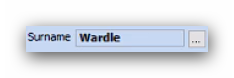
The Date of Death is recorded under the Individual tab within 'Entity Details'.
Enter the correct date in the Date of Death box. If you amend the date, the date of death transactions will automatically update (if any have been entered). However, if you have entered any administration period transactions, the date of these transactions will need reviewing and updating manually.
The IHT Form Selection
Continuing within the Estate Details – Edit menu option, the second tab is the 'Inheritance Tax Account' tab, where you can select the IHT sub-schedules required for the estate.
The IHT401 Req'd tick box will automatically populate based on the domicile selected within Estate Details - Edit, and the Deceased Details tab.
On this tab there is also the option to select Schedules, if you need to send additional information to the HMRC attached to the IHT forms. For example, if you have a schedule from a broker you want to include. If Schedule is selected the IHT form field will say ‘See schedule’ along with a total and you can then attach the external schedule as required.
When you have generated the IHT form and submitted it to the HMRC you can tick the 'IHT Form submitted?' box and enter the date it was sent. Once you do this you will only be able to add correctives to the estate.
If the estate will only require an IHT205 you will still need to select certain IHT400 sub-schedules on this tab, depending on the assets in the estate. Troika's data capture is based on the IHT400 but the system will aggregate the data appropriately when generating the IHT205.
Use the IHT205 Quick Reference Guide available on the Support Portal to look up the IHT400 references that correspond with the IHT205 form fields to see which sub-schedules you will need to select.
This article was last reviewed 05/2020.